Key takeaways
- The charging network in Canada has grown to over 25,000 public ports, but demand is outpacing supply in most major cities.
- When your car reaches your target charge level, usually 80% on a DC fast charger, move it.
- Set a phone notification for when your car hits 80%.
Canada now has over 25,000 public charging ports, and demand is outpacing supply in most major cities. Leave a fully charged car plugged in at a Tesla Supercharger for 30 minutes and the idle fee alone hits $30, more than the charging session itself. Most new EV owners learn these rules from their credit card statement. Here's a faster way.
This isn't about being precious or gatekeeping. It's about practical behaviour that keeps chargers available for the people who need them. Most of these rules are common sense. Some of them aren't obvious until you've been driving an EV for a while. And a few of them have changed as the charging scene has evolved, what was acceptable when there were 5,000 public chargers in Canada is not acceptable when 25,000 chargers are serving hundreds of thousands of EVs.
The reality is that public charging infrastructure is a shared resource. Treat it like one. Every charger you occupy past the point of necessity is a charger someone else can't use. Every cable you leave on the ground is a cable that gets damaged for the next person. Every spot you block without charging is a spot that forces someone with a dying battery to circle the lot or risk getting stranded. The social contract at a public charger is simple: charge what you need, move when you're done, and leave the station in the condition you'd want to find it.
Let's go through the rules, the ones that matter, the ones people get wrong, and the ones that are quietly becoming enforced by networks, municipalities, and the growing community of EV drivers across the country.
MOVE YOUR CAR WHEN IT'S DONE
This is the golden rule. When your car reaches your target charge level, usually 80% on a DC fast charger, move it. Every minute you leave a fully charged car plugged in is a minute someone else is waiting, circling the parking lot, or watching their battery tick down while they wait for you to return from your grocery run.
Most charging networks now charge idle fees after your session completes, and the fee structures vary significantly by network. Here's what you'll actually pay if you overstay your welcome:
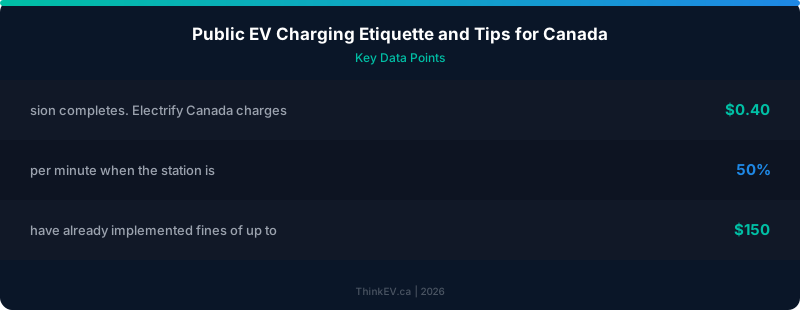
- Electrify Canada: $0.40 per minute after a 10-minute grace period. That's $24 per hour if you walk away and forget. The grace period is generous, but it's not an invitation to linger
- Tesla Supercharger: $1.00 per minute when the station is at 50% or greater capacity, $0.50 per minute when it's below 50%. Tesla is the most aggressive on idle fees because Supercharger congestion has been a persistent problem, especially at popular corridor stops along the Trans-Canada and Highway 401
- FLO: $1.00 per minute on DC fast chargers, no grace period.
FLO is the largest Canadian-owned network, and their idle fee policy reflects the reality that their DCFC stations are in high-demand urban locations
- ChargePoint: Varies by station owner. Many ChargePoint stations are owned by businesses, municipalities, or property managers who set their own idle fee policies. You might pay nothing at one station and $0.50 per minute at another.
Check the app before you plug in
- Petro-Canada Electric Highway: $0.50 per minute after a 10-minute grace period. Their stations along the Trans-Canada Highway are often the only fast charging option for hundreds of kilometres, which makes idle fees a matter of real consequence, someone waiting behind you might genuinely have no alternative
The math on idle fees is brutal. A 30-minute overstay at a Tesla Supercharger costs $30. At FLO, it's $30. That's more than the charging session itself in most cases. The fees exist because leaving a charged car plugged in is the single biggest source of frustration at public stations. They're working as intended, the question is whether you want to learn the lesson from the policy or from your credit card statement.
Set a phone notification for when your car hits 80%. Most EV apps, Tesla, myHyundai, FordPass, myChevrolet, send push notifications when charging is complete. If you're shopping or grabbing a coffee, set a timer as backup. The goal is to be back at your car within five minutes of the session ending. Ten minutes is acceptable. Fifteen is pushing it. Anything beyond that and you're the problem, not the infrastructure.
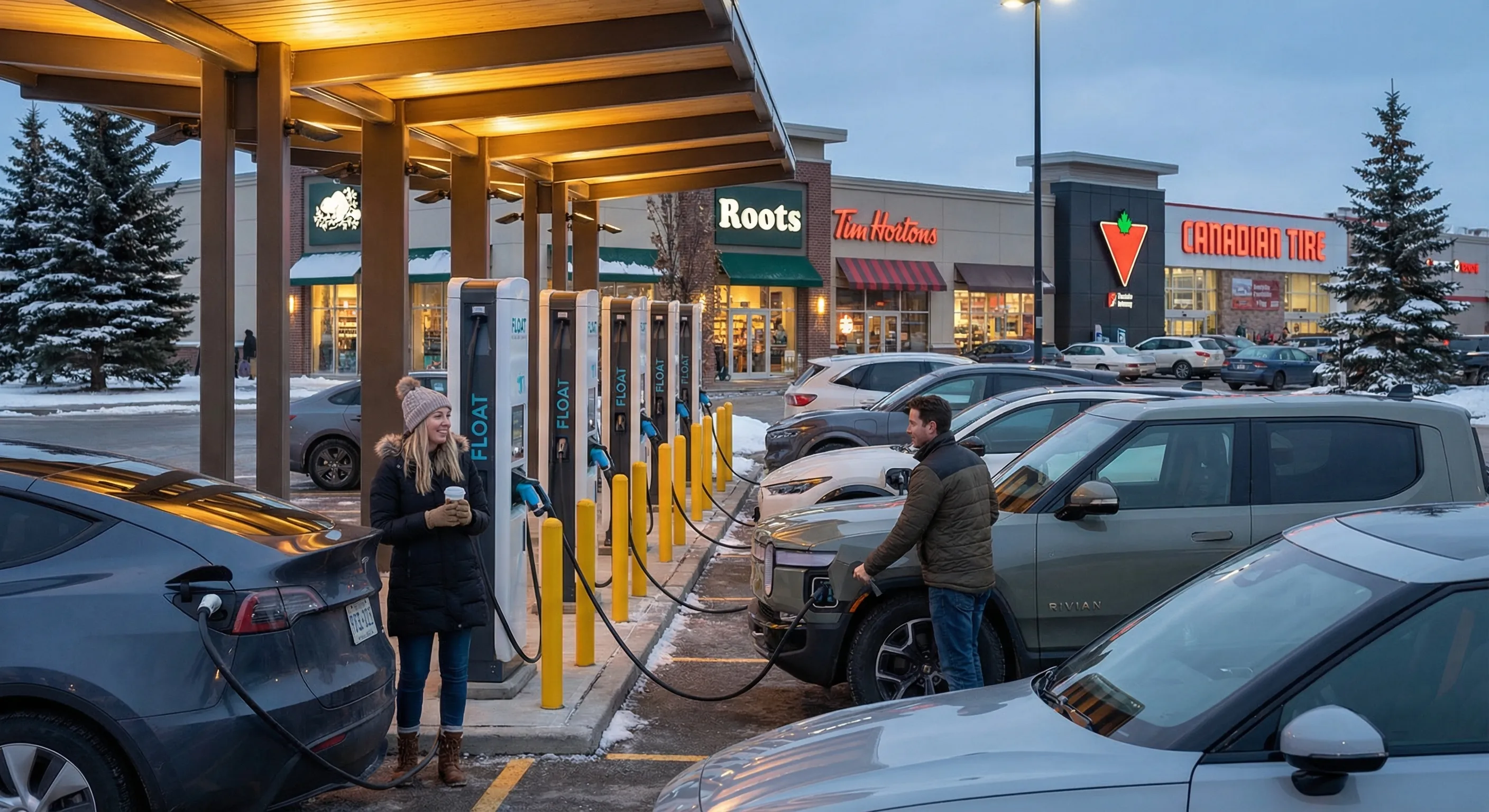
Here's a real-world scenario that plays out every weekend at busy stations: you plug in at a four-stall Electrify Canada at a Canadian Tire, walk inside to browse, and lose track of time. Your car finished charging 25 minutes ago. Meanwhile, two drivers have been waiting, one with 12% battery who's cutting it close to their destination, and another on a road trip with kids in the back seat.
They've been watching your car sit there, fully charged, doing nothing. One of them has opened the Electrify Canada app and can see your session ended half an hour ago. By the time you walk back, you've cost three people nearly an hour of combined waiting time. That's the reality of overstaying at a charger. The five minutes it takes to walk back and move your car is a rounding error in your day and a massive difference in someone else's.
DON'T CHARGE TO 100% ON A FAST CHARGER
DC fast chargers are shared resources, and charging from 80% to 100% takes almost as long as charging from 10% to 80%. The charging curve on every EV slows dramatically above 80%. On a Hyundai Ioniq 5, the last 20% can take 25-30 minutes, time that could give another driver a usable charge. On a Tesla Model Y, the taper above 80% reduces charging speed from 250 kW to under 50 kW. On a Chevy Equinox EV, you're looking at 30+ minutes for that last 20%.
The physics are non-negotiable. Lithium-ion batteries charge fastest when they're between 10% and 80% state of charge. Below 10%, the battery management system limits current to protect the cells. Above 80%, it reduces current dramatically to prevent overheating and degradation. The charging curve isn't a suggestion, it's electrochemistry. Fighting it by sitting at a fast charger until you hit 100% is like idling at a gas pump with a funnel trying to squeeze one more drop into your tank. You're wasting your time and everyone else's.
If you need 100% for a long trip, plan to top up on a Level 2 charger overnight instead. Fast chargers are for getting enough range to reach your destination or the next charger, not for filling to the brim. Think of them like a gas station bathroom: get in, do what you need, get out.
The exception is if you're at a station with multiple open stalls and zero queue. If all eight stalls are empty and nobody's waiting, charging to 90% isn't going to hurt anyone. But the moment someone pulls up and you're at 85%, that's your cue to wrap it up. Situational awareness matters more than rigid rules. The principle is simple: don't occupy a shared resource longer than necessary.
There's also a battery health argument here. Regularly charging to 100% on a DC fast charger accelerates battery degradation. Most manufacturers recommend keeping daily charge levels between 20% and 80%. So by charging to 80% and moving on, you're not just being considerate, you're taking better care of your car. Win-win.
DON'T PARK AT A CHARGER IF YOU'RE NOT CHARGING
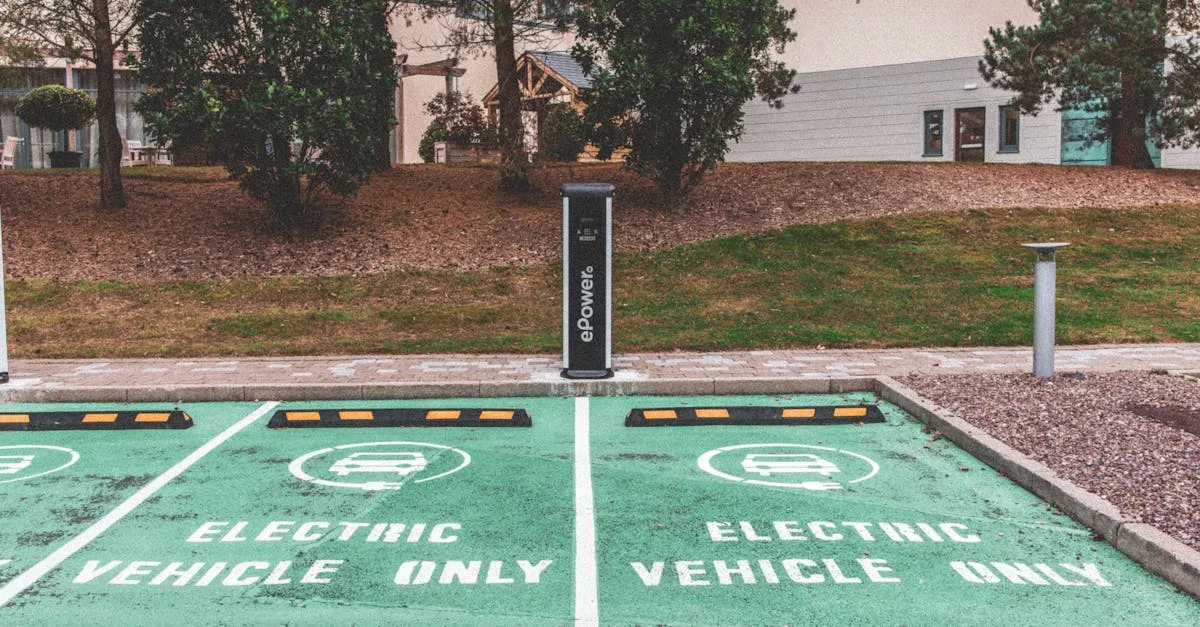
This happens constantly at shopping malls and grocery stores. Someone sees an open spot with a charger, figures they'll just be quick, and parks there without plugging in. Meanwhile, an EV driver with 8% battery is circling the lot. ICEing, when an internal combustion engine vehicle blocks a charging spot, is the most obvious version of this, but EV owners do it too. If you're not charging, don't park there. It doesn't matter if you "just need five minutes."
ICEing is the most infuriating thing that happens at public chargers, and it's still depressingly common. A lifted pickup truck parked across two charging spots at a Walmart. A sedan squeezed into the only available charger spot at a highway rest stop. A delivery van blocking a FLO station because "it was the closest spot to the door." Every EV driver has a story, and every story ends the same way: someone who needed to charge couldn't, because someone who didn't need to charge was too lazy or inconsiderate to park 30 metres away.
Some municipalities are starting to enforce this. Vancouver has bylaws that allow ticketing for non-EV vehicles blocking charging stations. Toronto is considering similar measures. In Quebec, certain municipalities have already implemented fines of up to $150 for blocking EV chargers. British Columbia is exploring province-wide legislation. The trend is moving toward enforcement, but in the meantime, self-policing is the main mechanism.
What about EV owners who are done charging but haven't moved? This is the grey area that causes the most friction. Your session finished 20 minutes ago, but you're still inside the mall. Your car is fully charged, sitting at a charger, and you're functionally ICEing the station, the only difference is that your car happens to be electric. The impact on the next person in line is identical. If your session is over, move your car. If you can't move it immediately, you're in idle fee territory and you're occupying a resource someone else needs.
The solution for daily charging is simple: if you have a Level 2 charger at home, use it. Home charging covers 90% of your needs. Public charging should be for road trips, top-ups when you're away from home for extended periods, and emergencies. If you're switching from gas to an EV and planning to rely entirely on public charging, think again, you're putting more strain on the system than necessary and increasing wait times for everyone, including yourself.
Gear worth having
As an Amazon Associate, ThinkEV earns a small commission from qualifying purchases — at no extra cost to you.

Grizzl-E Classic Level 2 EV Charger (40A)
Canadian-made and rated for minus 40C winters. 40A / 9.6 kW, NEMA 14-50, indoor/outdoor, 24-ft cable. The charger built for Canadian weather.
As an Amazon Associate, ThinkEV earns from qualifying purchases — at no extra cost to you.
HAVE YOUR PAYMENT READY
Nothing slows down a charging session like fumbling with apps and payment methods. Canada's charging networks use different apps and payment systems, ChargePoint, FLO, Electrify Canada, Petro-Canada, and Tesla all have their own platforms. Before you leave home, make sure you have accounts set up and payment methods loaded for the networks along your route.
Here's the reality: there is no single app that covers every charger in Canada. Each network has its own ecosystem, and while aggregators like ChargeHub and PlugShare can show you where chargers are, you still need the individual network apps to actually start a session at most stations. The good news is that contactless payment is expanding rapidly, many new stations accept credit card tap directly at the unit, no app required. But don't count on it everywhere. Rural stations, older installations, and some smaller networks still require app-based payment.
The essential app toolkit for Canadian EV drivers:
- ChargePoint: The largest network in North America. Their app handles payments, shows real-time availability, and lets you start sessions remotely. If you only download one app, make it this one
- FLO: The largest Canadian-owned network. Strong presence in Quebec, Ontario, and BC. Their app is straightforward and reliable. FLO also offers an RFID card for faster session starts, tap the card to the reader instead of opening the app
- Electrify Canada: The network for road trips.
Their stations are along major highway corridors, typically at Canadian Tire locations. Premium pricing but consistently high-speed chargers. Their app shows real-time stall availability and pricing
- Petro-Canada Electric Highway: Growing network along the Trans-Canada Highway. Their app integrates with the broader Petro-Canada loyalty program. Essential if you're doing cross-country trips
- Tesla: If you drive a non-Tesla vehicle with a CCS port, you can now access many Tesla Superchargers through the Tesla app.
Download it, set up your account, and add a payment method before you need it. The Magic Dock adapters at compatible Superchargers handle the connector difference, but you need the app to initiate the session
For trip planning, add A Better Route Planner (ABRP) and PlugShare to your phone. ABRP plans optimal charging stops based on your specific vehicle, weather, and driving conditions. PlugShare has community-contributed reviews, photos, and real-time check-ins that tell you whether a charger is actually working, information the official network apps often lack.
For regular commuters, a Plug and Charge-enabled vehicle simplifies everything. The car authenticates with the charger automatically when you plug in, no app, no card, no fuss. Hyundai, Kia, Ford, and GM vehicles from 2024 onward support this on compatible networks. It's the future of public charging, but we're not there yet for universal adoption.
Pro tip: set up all your charging apps on a rainy Sunday afternoon, not at 11 PM in a dark parking lot with 6% battery. Add your credit card, verify your account, and do a test run at a nearby charger. The worst time to troubleshoot a payment error is when you actually need to charge.
WINTER CHARGING ETIQUETTE
Cold weather changes everything about public charging in Canada. Battery chemistry slows down in the cold, which means charging speeds drop, sometimes significantly. A charger that delivers 150 kW in July might deliver 80 kW in January if the battery is cold. That means longer sessions, more time at the charger, and more potential for queues. Winter charging requires extra consideration, both for your own experience and for the drivers around you.
Precondition Your Battery
Precondition your battery before arriving at the charger. If you're working through to a DC fast charger using your car's built-in navigation, most modern EVs will automatically warm the battery en route. Tesla, Hyundai, Kia, BMW, and Ford all offer this feature. If your car doesn't do it automatically, running the climate control for 15-20 minutes before charging helps warm the battery enough to improve charging speeds.
The difference is significant. A cold battery at -15°C might accept only 50 kW on a 150 kW charger. A preconditioned battery at the same station pulls 130 kW. That's the difference between a 45-minute session and a 25-minute session. Preconditioning isn't just about your convenience, it's about freeing up the charger faster for the next person.
Here's what preconditioning looks like in practice by brand:
- Tesla: Set the Supercharger as your destination in the navigation. The car will start warming the battery automatically as you approach. You'll see "Preconditioning battery for fast charging" on the screen
- Hyundai/Kia (E-GMP platform): Work through to a charger using the built-in nav. The battery conditioning activates automatically on Ioniq 5, Ioniq 6, EV6, and EV9
- Ford Mustang Mach-E / F-150 Lightning: Use the built-in navigation to route to a DC fast charger. Battery conditioning is automatic
- Chevrolet/GM Ultium: Work through to a DC fast charger through the infotainment system. Preconditioning engages automatically on Equinox EV, Blazer EV, and Silverado EV
- BMW iX / i4 / i5: Built-in preconditioning when routing to a charger via the nav system
If your car doesn't support automatic preconditioning, some older or budget EVs don't, there are workarounds. Drive at highway speed for 20-30 minutes before your charging stop. The battery generates heat during high-draw driving, and arriving at the charger with a warmer battery means faster charging. Alternatively, some EVs let you manually activate battery heating through the climate menu, though this is less common.
Cable Management in Winter
Winter adds a brutal dimension to cable management. Charging cables freeze to the ground. Connectors ice over. Puddles around the charging station turn into ice rinks. The etiquette here is straightforward but often ignored: treat the equipment like it has to survive a Canadian winter, because it does, and the next person needs it to work.
When you finish your session, hang the cable back on the holster immediately. Don't leave it coiled on the ground where it will freeze into a solid ring of ice. Don't drape it over your side mirror while you "quickly" run into the store. If the cable is wet, give it a shake before holstering it. A frozen connector is a broken connector for the next driver.
If you arrive at a station and the cable is frozen to the holster or the ground, don't yank it. Give the connector a gentle twist. If the release button is frozen, warm it with your hands or blow on it for a few seconds. Most charging apps have a "stop session" button that electrically unlocks the connector, use it if the physical release is stuck. Forcing a frozen connector can bend or break the pins, taking the charger offline for days or weeks until a technician arrives. In a remote area, that could be the only fast charger for 200 km.
Don't Unplug Others in Winter
Don't unplug other people's cars in winter. In extreme cold, a plugged-in EV is keeping its battery conditioned. The charger may have finished delivering energy, but the connection itself signals the car to maintain battery temperature. Unplugging someone else's car at -25°C can trigger battery heating cycles that drain their charge. The car will use its own stored energy to keep the battery above minimum temperature, energy the owner was counting on for their drive.
If you need a charger and someone's session is complete, wait or contact them through the app if possible. If the connector is unlocked and you can see the session is clearly over, check the charger screen, then carefully remove the cable and holster it. But if the connector is locked, don't force it. The owner may have intentionally left the car connected for thermal management, and forcing the connector could damage the vehicle's charge port.
Gear worth having
As an Amazon Associate, ThinkEV earns a small commission from qualifying purchases — at no extra cost to you.
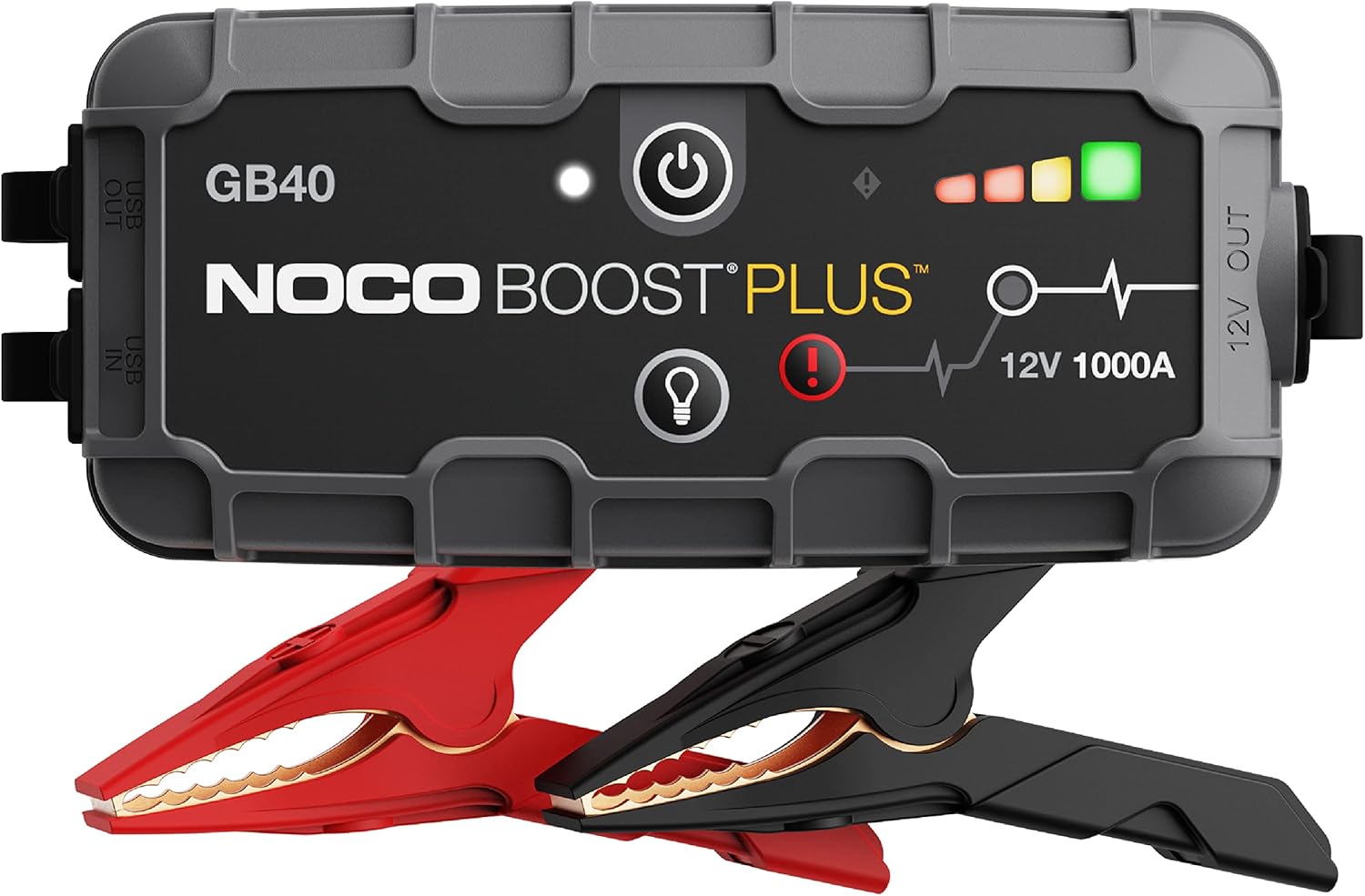
NOCO Boost Plus GB40 Jump Starter
A 1000A lithium jump starter that fits in your glovebox and works on any 12V battery. Your insurance against a dead 12V in a parking lot.
As an Amazon Associate, ThinkEV earns from qualifying purchases — at no extra cost to you.
ROAD TRIP CHARGING VS.
DAILY CHARGING
Fast-charger etiquette on a highway corridor runs by different rules than a Level 2 at your local grocery store, understanding the distinction makes you a better charging citizen.
Road Trip Etiquette
Highway fast chargers are pressure cookers. Everyone arriving at an Electrify Canada station at a Canadian Tire off Highway 1 is on a schedule. They're mid-trip, they've got somewhere to be, and their battery is low because they planned it that way, arriving between 10-20% to maximise time in the fast-charging sweet spot. Every minute at a highway charger is a minute added to someone's trip.
At highway stations, the rules are tighter:
- Charge to 80% maximum. Not 85%, not 90%. Eighty percent and move
- Stay with or near your car. Don't wander into a mall for 45 minutes
- Be ready to unplug and move as soon as the session ends. Set a timer, set a notification, set both
- If there's a queue, tell the waiting driver your estimated completion time. A simple "I've got about 15 minutes left" goes a long way
- If you're eating at a restaurant near the charger, sit where you can see your car. Check your app regularly
Daily Charging Etiquette
Level 2 chargers at shopping centres, workplaces, and municipal parking lots operate at a slower pace, literally. A Level 2 session adds 30-40 km of range per hour. These chargers serve a different purpose: convenient top-ups during errands, not rapid refuelling for road trips. The etiquette is correspondingly different.
At Level 2 stations, it's acceptable to leave your car for the duration of your shopping trip or workday, as long as you're actually charging. The problem arises when your session completes at 2 PM and you don't leave work until 5 PM. Those three hours of occupying a charger without charging are three hours someone else could have used.
Some workplaces and parking garages are implementing timed charging: you get four hours on a Level 2, then you need to move. If your workplace has this policy, respect it. If it doesn't, be self-aware about how long you've been occupying the station. Many Level 2 networks, ChargePoint and FLO especially, send completion notifications. Use them.
The bottom line: highway fast chargers demand urgency. Level 2 chargers demand awareness. Both demand that you move your car when charging is complete.
COMMUNITY STANDARDS AND HOW THEY'RE EVOLVING
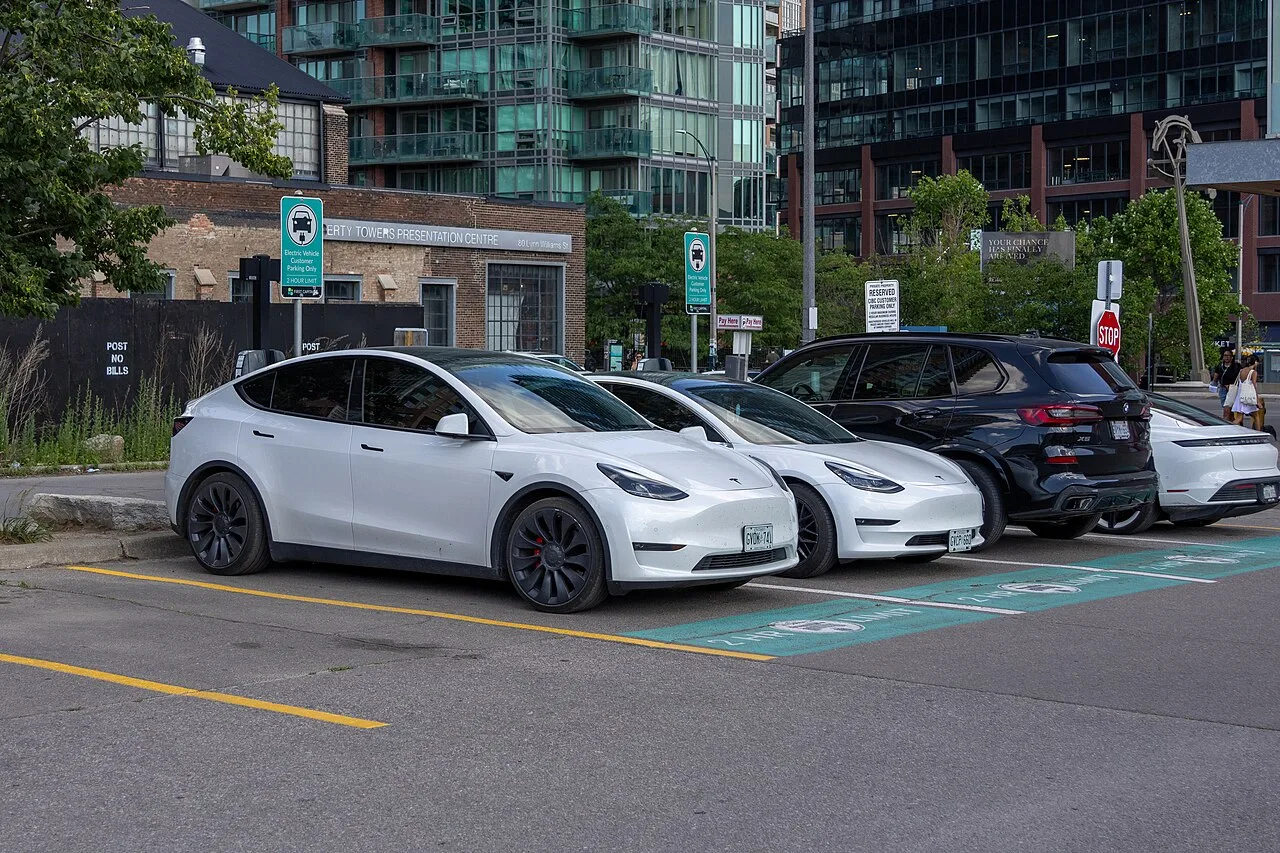
The EV community in Canada is writing the rules as it goes, and those rules are getting more formal every year. What started as informal norms on Reddit and Facebook groups is becoming codified in municipal bylaws, network policies, and even provincial legislation.
The Informal Code
The EV community has settled on a set of unwritten standards that most experienced drivers follow:
- The 80% rule on fast chargers is nearly universal. You'll see it referenced on r/electricvehicles, in every EV Facebook group in Canada, and in most manufacturer materials
- The five-minute rule: be back at your car within five minutes of session completion. Ten minutes is the upper limit of acceptability
- The communication rule: if you're waiting for a charger, make eye contact or say hello. If you're at a charger and someone pulls up, tell them your estimated time remaining. Basic human communication resolves 90% of charging conflicts
- The backup rule: always know where the next nearest charger is. Don't put yourself in a position where one occupied or broken charger turns into a crisis
The Formal Evolution
Municipalities and provinces are catching up:
- Vancouver: Bylaw 12648 allows fines for non-EV vehicles blocking charging stations. Enforcement is inconsistent but the legal framework exists
- Quebec: Multiple municipalities have bylaws allowing $100-$150 fines for ICEing. Quebec also has the most mature charging infrastructure in Canada, with over 8,000 public ports
- Ontario: The province is exploring legislation that would standardize EV charging parking protections across all municipalities.
Nothing is enacted yet, but the conversation is happening at Queen's Park
- British Columbia: The CleanBC initiative includes provisions for expanding charging infrastructure and is exploring companion policies around charger access and misuse
- Federal: Natural Resources Canada's Zero Emission Vehicle Infrastructure Program (ZEVIP) funds new chargers but doesn't currently address user behaviour or enforcement. That may change as the network matures
The trajectory is clear: informal norms are becoming formal rules. The drivers who adopt good etiquette now won't have to change their behaviour when enforcement arrives. The drivers who don't will find out the hard way, through fines, idle fees, and the quiet judgement of every EV driver who had to wait for their inconsiderate session to end.
APP NOTIFICATION SETUP AND BEST PRACTICES
Your phone is your best tool for charging etiquette. Every major charging network and every EV manufacturer app offers notifications, you just need to set them up before you need them. Here's how to configure the essential alerts.
Gear worth having
As an Amazon Associate, ThinkEV earns a small commission from qualifying purchases — at no extra cost to you.

Lectron Level 2 J1772 Charger (40A, WiFi)
Smart WiFi charger with real-time energy monitoring. 40A / 9.6 kW, J1772 with a NEMA 14-50 plug, schedule charging right from your phone.
As an Amazon Associate, ThinkEV earns from qualifying purchases — at no extra cost to you.
Manufacturer App Notifications
- Tesla app: Go to Settings > Notifications. Enable "Charging Complete" and "Charging Interrupted. " Tesla also sends push notifications when idle fees begin accumulating, a strong incentive to move quickly
- myHyundai / Kia Connect: Enable push notifications in the app settings. The app sends alerts when charging reaches your set target (default 80%).
You can also set a custom charge limit per session
- FordPass: Work through to Vehicle > Charging > Notifications. Enable charging complete alerts. FordPass also lets you set a departure time, and the car will finish charging just before you leave, useful for home charging, less relevant for public
- myChevrolet / myGMC: Enable notifications in the app's vehicle settings. The app sends charging complete alerts and lets you set charge limits remotely
Network App Notifications
- ChargePoint: Enable push notifications in the app. ChargePoint sends session-start, session-complete, and idle-fee warnings. You can also set up email notifications as a backup
- FLO: The FLO app sends charging complete notifications by default. Make sure push notifications are enabled in your phone's settings for the FLO app
- Electrify Canada: Enable notifications in the app. You'll get alerts for session start, session complete, and charging errors. The app also shows real-time charging speed and estimated time to completion
Best Practices
- Enable both app and phone notifications. Don't rely on just one. If the app notification fails to push through, a timer on your phone catches it
- Set a timer as backup. When you plug in at a fast charger, set a phone timer for your estimated session time. A 20-80% charge on most EVs takes 20-40 minutes. Set the timer for the conservative estimate
- Keep your phone's volume on. This sounds obvious, but the number of people who miss charging notifications because their phone was on silent is embarrassingly high.
When you're at a public charger, unmute your phone
- Check your app mid-session. Open the app once during your charging stop to verify the session is progressing normally. Charger errors, connection drops, and authentication failures can silently stop a session. Finding out your car stopped charging at 35% when you expected 80% is better discovered mid-session than at the end
CHARGING STATION CONFLICTS AND HOW TO HANDLE THEM
Conflicts happen. Someone's been parked at a charger for an hour after their session ended. Someone's ICEing the only available spot. Two people arrive at a single available stall at the same time. The way you handle these situations defines whether you're part of the solution or part of the problem.
The Occupied Charger
You arrive at a station and every charger is occupied. Some cars are actively charging, some are clearly done. What do you do?
- Wait visibly. Park where the person occupying the charger can see you when they return. This isn't passive-aggressive, it's communication. When they see someone waiting, most people will hurry back
- Check the app. Many network apps show whether a session is active or complete. If the session is complete, you know the car is just sitting there.
If it's actively charging, you know approximately how long you'll wait
- Don't touch the car. Never unplug someone else's car without their permission, even if their session is over. The connector may be locked, and forcing it can damage both the charger and the car. If the connector is unlocked and the session is clearly complete on the charger's display, you can carefully remove the cable and holster it, but that's the limit
- Don't leave angry notes. It feels satisfying in the moment but accomplishes nothing.
The person who left their car for an hour isn't going to change their behaviour because of a passive-aggressive Post-It note. Save your energy
- Contact the network. If a car has been occupying a charger for an extended period with no active session, contact the network's customer service through the app. Some networks can send notifications to the vehicle owner or escalate the situation
The ICEing Situation
A non-EV is parked in a charging spot. This is more common than it should be in 2026, and it's genuinely infuriating when you need to charge.
- Don't confront aggressively. Most people who ICE a charger don't even know what they've done. They saw an open parking spot and took it. Approach calmly and explain that the spot is reserved for electric vehicles that need to charge
- If the driver is present: a polite "Hey, this spot is for EV charging, would you mind moving? " works 90% of the time.
Most people are embarrassed, not hostile
- If the driver is absent: take a photo including the licence plate and the charging equipment, then report it to the property manager or through the charging network app. Some networks have an "obstruction report" feature
- In municipalities with bylaws: call bylaw enforcement. In Vancouver, Quebec municipalities, and other jurisdictions with EV parking protections, ICEing is fineable. Use the systems that exist
The Simultaneous Arrival
Two EVs arrive at the same time, one stall available. Who goes first?
There's no formal protocol, but the community has developed informal norms:
- Lower battery percentage goes first. The driver with 8% has a more urgent need than the driver with 35%. A quick glance at the dashboard or a brief conversation settles it
- If both are at similar levels, whoever arrived first (even by seconds) gets the charger. First come, first served
- Be gracious. If someone lets you go first, thank them. If you let someone else go first, don't make it a big deal. A simple "go ahead, I've got more range than you" costs you nothing and builds community goodwill
- If it's a genuine tie, the person on a road trip with limited options should take priority over the person who lives nearby and could charge at home
ACCESSIBLE CHARGING CONSIDERATIONS
Accessible charging is a dimension of etiquette that doesn't get enough attention, and it matters more than most drivers realise. As EV adoption grows, the number of drivers with mobility challenges is growing too, and the charging infrastructure isn't keeping pace.
What Accessible Charging Looks Like
Accessible charging stations are designed with wider spaces, level ground, and charging equipment positioned for wheelchair access. The cable reaches without requiring the driver to walk around the vehicle. The payment terminal is at an accessible height. The surface is smooth and slip-resistant.
In practice, many charging stations fall short. Cables are too short. The charger is on a raised curb. The adjacent spot is too narrow for a wheelchair ramp. These design limitations make etiquette even more important, if the one accessible-design stall at a station is occupied by someone who could have used any stall, that's a real problem for the next driver who specifically needs that stall.
What You Can Do
- Don't use accessible stalls if you don't need them. This is the same principle as accessible parking spots. If there are other stalls available, use one of those. If the accessible stall is the only one open and you don't need the accessibility features, use it, but move your car promptly when done so it's available for someone who does need it
- Don't block the accessibility path. At some stations, the accessible path to the charger runs between stalls.
Don't park your car in a way that blocks this path, and don't leave cables stretched across it
- Report accessibility issues. If a charger's accessible stall is poorly designed, broken surface, blocked path, equipment mounted too high, report it through the network app. Infrastructure improves when users provide feedback
- Be patient with drivers who take longer. A driver with mobility challenges may take longer to plug in, unplug, and move their vehicle.
That's not inconsiderate, it's the reality of their situation. Wait patiently and offer help if it seems welcome, but don't pressure them to hurry
As the charging infrastructure in Canada expands, accessibility standards are improving. Natural Resources Canada's ZEVIP program includes accessibility requirements for funded stations. But the gap between policy and practice is real, and driver behaviour fills that gap.
TESLA SUPERCHARGER SHARING ETIQUETTE
The opening of Tesla Superchargers to non-Tesla vehicles is one of the biggest shifts in Canadian charging infrastructure, and it's created a new set of etiquette considerations that didn't exist two years ago.
How It Works
Tesla has opened a growing number of Supercharger locations in Canada to non-Tesla EVs via the Magic Dock adapter, a CCS connector that deploys from the Tesla cable. Non-Tesla drivers initiate sessions through the Tesla app. The pricing for non-Tesla vehicles is typically higher than for Tesla owners, and access may be limited during peak hours at some locations.
Etiquette for Non-Tesla Drivers at Superchargers
- Have the Tesla app set up before you arrive. Download it, create an account, add a payment method. Don't be the person standing at the charger for 10 minutes trying to set up the app while a queue forms behind you
- Understand the Magic Dock. The CCS adapter deploys from the cable when you initiate a session through the Tesla app. Don't force the connector, if it's not deploying, check the app.
The process is straightforward but unfamiliar if you haven't done it before
- Be aware of pricing. Non-Tesla pricing at Superchargers is higher than Tesla-owner pricing. This isn't a gouge, Tesla subsidises Supercharger access for their customers as part of the vehicle purchase. Non-Tesla drivers are paying the unsubsidised rate. Check the Tesla app for current pricing at your target station before you drive there
- Don't hog paired stalls. Tesla Supercharger stalls are typically paired, stalls 1A and 1B share a power cabinet.
If both stalls in a pair are occupied, the power splits between them. If only one stall in a pair is occupied, that car gets full power. When possible, choose an unpaired stall or a stall whose pair is already occupied. This is standard Supercharger etiquette that Tesla drivers already know, but it's not intuitive for newcomers
Etiquette for Tesla Drivers
- Be welcoming. The Supercharger network opening to other brands is good for the entire EV ecosystem. It drives competition, improves infrastructure, and normalises electric driving. A non-Tesla driver at a Supercharger isn't taking "your" spot, they're using a public utility that they're paying for
- Help if asked. If a non-Tesla driver is struggling with the Magic Dock or the app, a quick explanation goes a long way. You've been using these chargers for years. They haven't. Pay it forward
- Don't queue-jump. If non-Tesla and Tesla drivers are both waiting for an open stall, first come first served applies regardless of vehicle brand. Your car being a Tesla doesn't give you priority at a station that's open to all EVs
NETWORK-SPECIFIC TIPS AND QUIRKS
Every charging network in Canada has its own quirks, limitations, and hidden features. Knowing these saves you time, money, and frustration.
Electrify Canada
- Pricing tiers: Electrify Canada offers a Pass+ membership for $6/month that reduces per-kWh pricing. If you fast-charge more than twice a month on their network, the membership pays for itself
- Plug and Charge: Supported on many newer EVs. If your car supports it, enable it, you'll save 2-3 minutes per session by skipping the app authentication
- Stall selection matters: Electrify Canada stations sometimes have a mix of 150 kW and 350 kW stalls. Check the stall label before plugging in. If your car supports 150+ kW charging, use a 350 kW stall, it will deliver higher speeds. If your car maxes out at 50 kW, leave the 350 kW stalls for vehicles that can use them
FLO
- RFID cards: FLO offers physical RFID cards that you tap to start a session. These are faster than app authentication and work even if your phone is dead. Order one from the FLO website, it's free
- Level 2 vs. DCFC pricing: FLO's Level 2 and DCFC pricing are very different. Level 2 is often charged by the hour ($2-3/hour), while DCFC is per kWh (typically $0.30-0.45/kWh plus a session fee). Check the app for station-specific pricing
- Reliability: FLO has one of the highest reliability rates in Canada. Their stations tend to be well-maintained, and their customer service is responsive. If a station is down, report it through the app, FLO is usually fast to dispatch a technician
ChargePoint
- Network of networks: ChargePoint is a platform, not a single network. Pricing, idle fees, and access rules vary by station owner. A ChargePoint station at a municipal lot may be free. The same branded station at a private parking garage may charge $0.40/kWh plus a $2 session fee. Always check pricing in the app before you plug in
- Waitlist feature: ChargePoint's app lets you join a virtual waitlist at busy stations. When a stall opens up, you get a notification. Use this instead of circling the lot
- Session limits: Some ChargePoint stations have time limits set by the property owner, typically 2-4 hours on Level 2. Exceed the limit and you may be billed an overstay fee or have your session remotely terminated
Petro-Canada Electric Highway
- Highway focus: Petro-Canada's charging network is specifically designed for highway travel, with stations along the Trans-Canada and major inter-city routes. Their stations often have the only fast charger for 100+ km in rural stretches
- Petro-Points integration: If you have a Petro-Points card, link it in the Petro-Canada app. You'll earn loyalty points on charging sessions, it's not a huge amount, but it adds up on cross-country trips
- Station amenities: Because they're at Petro-Canada gas stations, you'll always have washrooms, snacks, and usually a coffee shop nearby. This makes them good rest stops on long road trips
PARKING LOT ETIQUETTE AND ICEING
Parking lot behaviour around EV chargers deserves its own section because it's where most day-to-day friction happens. Highway chargers have clear lanes, dedicated spots, and usually good signage. Shopping centre Level 2 chargers? They're in a shared parking lot, with ambiguous signage, no enforcement, and constant competition for space.
The Rules of the Lot
- Only park at a charger if you're actively charging. This bears repeating. A charging spot is not a premium parking spot. It's a fuelling station. You wouldn't park at a gas pump and go shopping, don't do it at a charger
- Pull through when possible. At stations with pull-through design, use it. It's faster for you and creates less congestion for other vehicles manoeuvring around the charging area
- Don't double-park to "hold" a spot. If the chargers are full, wait in a visible queue position.
Don't park behind someone at a charger, blocking them from leaving. This happens more than you'd think, and it creates a ridiculous situation where neither car can move
- Respect the signage. If a spot says "EV Charging Only, 4 Hour Limit," that means four hours, not "until whenever I get back. " Time limits exist because of past abuse. Don't be the reason they get shorter
- Be aware of your car's footprint. If you drive a large EV, a Rivian R1S, a Ford F-150 Lightning, a Silverado EV, be conscious of how much space you're taking up. Don't block adjacent stalls or walkways. Park straight, park tight, and leave room for others
Dealing with ICEing in Practice
When you encounter an ICE vehicle in a charging spot, your options depend on the situation:
- Private property (mall, grocery store): Talk to the property manager. Many malls and shopping centres have policies about charging spots but don't enforce them without complaints. A polite conversation with guest services can result in a PA announcement or a security escort
- Municipal property (public parking, city lots): If there's a bylaw, call bylaw enforcement.
If there isn't, talk to the parking attendant if one exists. Document the situation with a photo in case the municipality is considering EV-specific bylaws, community reports drive policy change
- Highway rest stops: These are typically provincial jurisdiction. Contact the rest stop management or call the highway's information line. ICEing at a highway charger is especially dangerous because the EV driver may have planned their route around that specific stop and may not have enough range to reach an alternative
The most effective long-term solution to ICEing is dedicated charging infrastructure, stations that are physically separated from general parking, with bollards or curbs that prevent non-charging vehicles from accessing them. This is the direction the industry is moving, but it'll take years to retrofit existing installations. In the meantime, etiquette and enforcement are our best tools.
THE SUMMARY
Charge to 80% on fast chargers, then move. Don't park at chargers unless you're charging. Have your apps and payment ready before you arrive. Precondition your battery in cold weather. Handle cables with care. Set notifications so you know when your session is done.
None of this is complicated. It's the same basic consideration you'd show at a gas station, don't block the pump, don't leave your car unattended for 45 minutes, don't make a mess. The only difference is that EV charging takes longer, which means the consequences of inconsiderate behaviour are amplified.
The etiquette is evolving alongside the infrastructure. As Canada adds more public chargers, as networks enforce idle fees more aggressively, and as municipalities pass bylaws against ICEing, the standards will continue to tighten. The drivers who adopt good habits now won't have to adjust later. They'll be the ones setting the example for the next wave of EV adopters, and there are a lot of them coming.
The cost of charging varies by province, the infrastructure is growing but still catching up to demand, and planning your charging stops makes a real difference. But none of that matters if people don't treat the shared infrastructure with basic respect. Be the driver who makes the system work, not the one who makes everyone else wait.
Gear worth having
As an Amazon Associate, ThinkEV earns a small commission from qualifying purchases — at no extra cost to you.

ChargePoint Home Flex Level 2 Charger (50A)
Premium 50A / 12 kW charger with the best app ecosystem. Hardwired or NEMA 14-50, with real-time energy tracking and smart scheduling.
As an Amazon Associate, ThinkEV earns from qualifying purchases — at no extra cost to you.
Related Reading
- EV Charging Costs by Province Canada 2026, What you'll actually pay to charge at home and on the road across every province.
- EV Charging Infrastructure Canada 2026, The state of Canada's charging network, where it's growing, and where the gaps are.
- EV Road Trip Charging Planning Guide, Plan your stops before you leave and eliminate range anxiety entirely.
- Best Level 2 EV Chargers Canada 2026, Home chargers ranked and reviewed, so you don't need public chargers for daily driving.
- Switching from Gas to EV Canada 2026, Everything you need to know about making the switch, including charging realities.
- How to Install a Level 2 EV Charger at Home, Skip the public charger hassle and charge overnight.
Gear worth having
As an Amazon Associate, ThinkEV earns a small commission from qualifying purchases — at no extra cost to you.

Magnetic EV Charger Plug Cover
A magnetic cap that keeps rain, road salt, and grit out of your home charger handle between sessions.
As an Amazon Associate, ThinkEV earns from qualifying purchases — at no extra cost to you.

Founder & Chief Editor
Vlad Pereira is the founder and chief editor of ThinkEV.ca, the Canadian electric-vehicle publication he writes and edits from Courtenay, British Columbia. He covers EV pricing, federal and provincial rebates, charging costs, and the Chinese manufacturers now entering Canada, from the buyer's side rather than the press-fleet side. ThinkEV is a venture of Vlad Pereira Online; his writing on health, income and the long game lives at vladpereira.com.
Frequently asked questions
How long should I stay at a DC fast charger?
What are idle fees and how do they work?
Can I unplug someone else's car if their session is done?
Which charging apps should I have installed?
What is ICEing and what can I do about it?
Do non-Tesla EVs have to pay more at Tesla Superchargers?
How do I handle a broken or malfunctioning charger?
Is it okay to charge to 100% if nobody is waiting?
What should I do if someone confronts me at a charger?
More EV & road-trip finds
Affordable upgrades worth a look — tap any to check the price on Amazon.
 ★ 2,941
Microfiber Cleaning Cloths (Multi-Pack)
View on Amazon ★ 537
★ 537USB Star Projector Roof Light
View on Amazon ★ 568
★ 568Personalized Photo and Text Keychain
View on Amazon ★ 27,769
Car Cup Holder Coasters (4-Pack)
View on Amazon ★ 15,014
Spigen Tempered Glass for Tesla Model 3/Y
View on Amazon ★ 121
★ 121Foldable Windshield Sun Umbrella
View on Amazon ★ 268
★ 268Anti-Slip Leather Steering Wheel Cover
View on Amazon ★ 96,686
PULIDIKI Car Cleaning Gel (Detailing Putty)
View on AmazonRead, Plan, Then Stay Current
Explore our expert articles to understand incentives and ownership costs, use the map to pressure-test charging reality, then subscribe so new EV coverage comes straight to you.
Continue Reading
Ontario EV Charging in 2026: Where It Stands
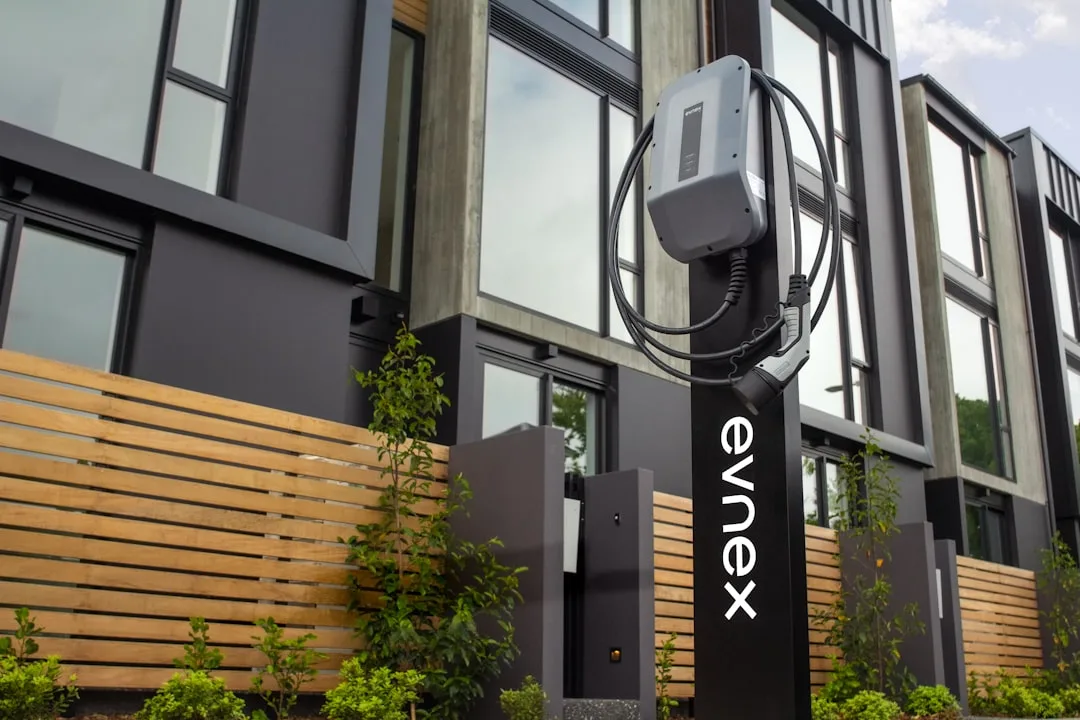
EV Charging in a Condo or Apartment in Canada
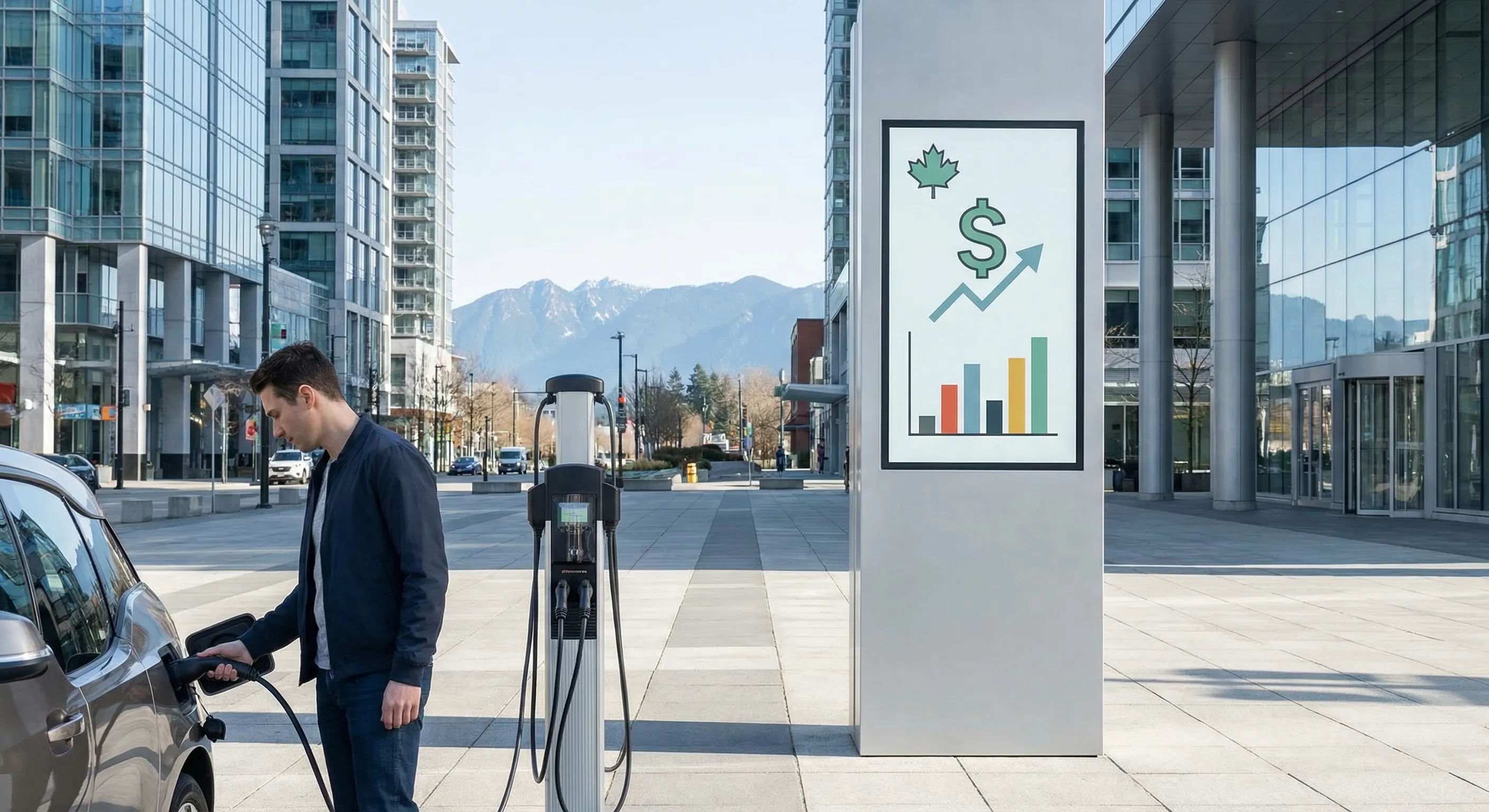
EV Charging Costs Canada 2026: Home vs Public

EV Road Trip Canada: How to Plan the Charging

Nova Scotia EV Rebates 2026: $3,000 Off + EV Tax Reality Check